
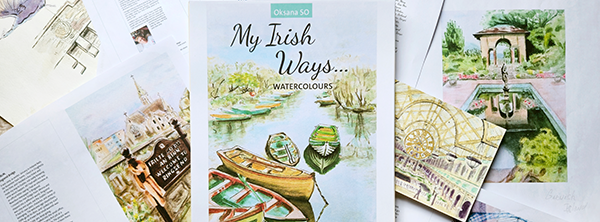
You’re creating an art book that includes workbook elements.
The goal is to publish it professionally for both print (via Amazon KDP) and digital formats (Kindle and/or downloadable PDF). This guide will walk you through design, formatting, file export, and publishing.
1. DESIGN & LAYOUT — InDesign Setup
✅ Preferred Trim Size:
- 8.5 x 11 inches (best for art books and workbooks)
- Orientation: Portrait
- Margins:
- Top/Bottom/Outside: 0.25″
- Inside (Gutter): 0.375″ (or more if the book is thick)
- Bleed: 0.125″ (on all sides if artwork touches edges)
✅ Document Settings:
- Color Mode: CMYK (for print)
- Resolution: 300 DPI
- Fonts: Embed all fonts or use licensed fonts for PDF export
✅ Image Guidelines:
- Formats: JPG or PNG
- Resolution: 300 DPI
- Placement: Use full-bleed for art pages or inline for annotated images
- For blueprints or detailed graphics:
- Keep a zoomed-in readable size
- Avoid cramming small text
2. FILE EXPORT
A. For Print (KDP Paperback):
- Format: PDF (Print)
- Export settings:
- Adobe PDF Preset: PDF/X-1a or High Quality Print
- Bleed: Include 0.125″
- Marks: Crop marks OFF
- Embed all images and fonts
- Color: CMYK
- Name the file clearly:
YourBookName_PRINT_8.5x11.pdf
B. For Kindle (Optional):
Kindle does not handle complex InDesign layouts well. To create a simplified eBook version, do either:
Option 1: Export to Reflowable ePub (Recommended for text/image mix)
- InDesign: Use File > Export > EPUB (Reflowable)
- Use Kindle Previewer or Kindle Create to convert EPUB to KPF (Kindle’s format)
Option 2: Convert to KPF via Kindle Create
- Export to PDF, open in Kindle Create
- Clean up layout (some design features may not carry over)
- Save and export as
.kpf
3. BONUS: Provide Downloadable Files
For interactive workbook content or high-res art:
- Host on your own site, Dropbox, or Google Drive
- Include a short, clean link in your book: “Download print-friendly worksheets: www.yourbooksite.com/worksheets”
4. PUBLISH ON AMAZON KDP

Step-by-Step:
- Go to https://kdp.amazon.com and sign in
- Click “+ Paperback”
- Fill in:
- Book Title / Author Name
- Description
- Keywords & Categories (e.g., Art > Techniques, Education > Activity Books)
- Upload your print-ready PDF
- Upload your cover (or design with KDP Cover Creator)
Printing Options:
- Trim Size: 8.5 x 11 inches
- Color: Premium Color (for vibrant art)
- Paper: White (recommended for clarity)
- Bleed: Yes (if full-page art)
- Binding: Paperback (perfect bound)
Pricing & Royalties:
- Choose your territories (usually “Worldwide”)
- Set your list price
- Select royalty rate (60% for print)
5. OPTIONAL: KINDLE eBOOK VERSION
If you decide to create an eBook version (for reading only, not interactivity):
- Convert your content using EPUB → Kindle Create → KPF
- Upload as a separate Kindle eBook project
- Choose simplified layout (no forms or write-in elements)
- Readers can view it on:
- Kindle devices
- Kindle app (iOS, Android, PC)
- Kindle Cloud Reader
✅ Final Summary
| Feature | Recommendation |
|---|---|
| Print Format | 8.5” x 11” PDF via InDesign, premium color |
| eBook Format | EPUB or KPF (simplified content only) |
| Image Format | JPG or PNG, 300 DPI, RGB for digital/CMYK for print |
| Workbook Elements | Best in print or downloadable PDFs |
| Downloads | Host on your site and link in the book |
| Best Tools | InDesign, Kindle Create, KDP Dashboard |



Leave a Reply